Pre-release
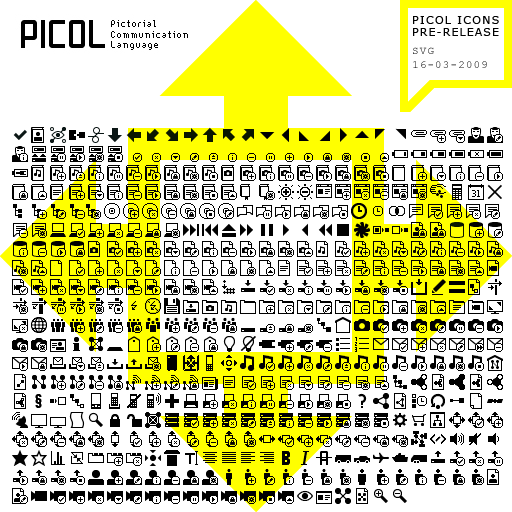
SVG version of PICOL Icons

Download | PICOL-Icons | Pre-release | SVG | 16-03-2009All icons again are licensed under
a Creative Commons BY-SA License.
Here it is. The vector version of PICOL.
“This will finally enable use of PICOL beside web applications, for instance in texts, presentations and posters.” Jakob – I hope these words will come true and we will see some nice applications with the PICOL icons.
All icon are available as SVG (Scalable Vector Graphics). Maybe one day Internet Explorer will support SVG images. In the meantime you can download the Adobe SVG Viewer or use another Browser (browser list translated with Google Translator).
With the help of Christopher Adjei I was able to mass edit all 520 icons and add meta data to it. He made a small app for me with Processing, which allowed me to add meta data to all icons in one single procedure. We talked about this tool and thought about making it public, but before this can happen it needs some work and time.
Please write me a short mail, if you use the icons.
Screenshots and links are welcome ![]()
March 17th, 2009 at 3:09 pm
Very great !
you can mention Inkscape that is a complete svg editor.
And the processing app is a promizing toll !
March 18th, 2009 at 5:50 pm
Very nice, thank you Jacob and Christopher.
For those wondering how to get larger rasterized versions of the icons in Photoshop, using these SVG files, here’s how:
1. Open the SVG file with Inkscape.
2. Save As… *.eps
3. Open the EPS file with Photoshop.
4. Select the dimensions you want for your rasterized version (for instance 300 at 300 pixels).
You can now scale the layer in Photoshop using Transform. Be sure to always scale down in size, never up.
BTW I’m using them for a webapplication, but it is a long way from completion.
March 18th, 2009 at 8:22 pm
Jacob? Melih!
That´s my name. That was just a quote by Jakob who commented on the post with the 16×16 Pixel icons. I just liked his words and thought they fit very well. By the way Jakob made a nice concept for using the icons in a library system http://ws.gbv.de/daia/icons
And thank you very much for the description of who to rasterize the icons.
Please send me short mail when you finished your webapplication.
March 18th, 2009 at 8:50 pm
Sorry Melih, misread
March 18th, 2009 at 9:16 pm
No problem
March 20th, 2009 at 11:20 am
Hi Melih, thanks for the SVG! I already vector files of PICOL that I created on my own for a presentation I gave two days ago. No I can better use the official files. I also played with some more combination of icons - maybe you can give a better overview of PICOL by grouping the 500+ combinations in base icons and combined icons.
March 20th, 2009 at 2:07 pm
Hi Jakob, that´s the plan for the picol main website. It should be a bit more intelligent than a folder structure - fed with meta tags, categories & descriptions. But this has to wait a while, because it´s very hard for me to program since I´m no web developer
Thanks for the presentation. It look very good. Do you thought on adding audio to it? That would be really great.
March 22nd, 2009 at 4:35 pm
I was waiting for this.
I started to use PICOL to describe operations in personal information processes with another set of icons that describe the anthropological relationships between the actors involved.
But I find that PICOL’s use for describing processes would work better in animation than in still. So, I am learning animation…
Will post examples.
March 22nd, 2009 at 5:18 pm
Pierrot that sounds great! Let us know, when you have something to show
March 22nd, 2009 at 6:43 pm
Yes, with animation and audio, a PICOL based presentation (like the history of internet video) is much better - but I don’t know how to do it. Can you recommend a software for creating small films with vector diagrams?
March 22nd, 2009 at 7:25 pm
Hi Jakob. I meant something like this http://tinyurl.com/dgsd6c Just the slides with your voice explaining it.
For animation you can use every animation tool (AfterEffects, C4D, Flash…) You can also make a slide presentation with audio in any video editing software. Maybe someone has an idea for such tools.